Generate a picture and trace it into SVG
Some drawings are easier to describe than to build from shapes: a fox asleep in ferns, a mascot, a sticker. Ask for one in the chat and the assistant generates a picture, then traces it into SVG paths in your browser — a real vector drawing, whose shapes you can recolour, move or delete like any other.
Sign in for free, then ask in the chat for a picture — for example "a cute fox asleep in ferns".
How it works
- Ask for a picture in the chat: "a cute kitten", "a logo for a coffee shop", "a rocket sticker".
- The assistant asks before it spends anything: "This looks like a picture. Generate it?" Generating costs the image model's credits, 10 on the free plan; drawing it with shapes instead costs nothing extra, but comes out much simpler.
- The picture is generated, which usually takes 30 to 60 seconds, and traced into SVG shapes in your browser.
- Adjust the tracing if you like, then Accept to put the drawing into the editor.
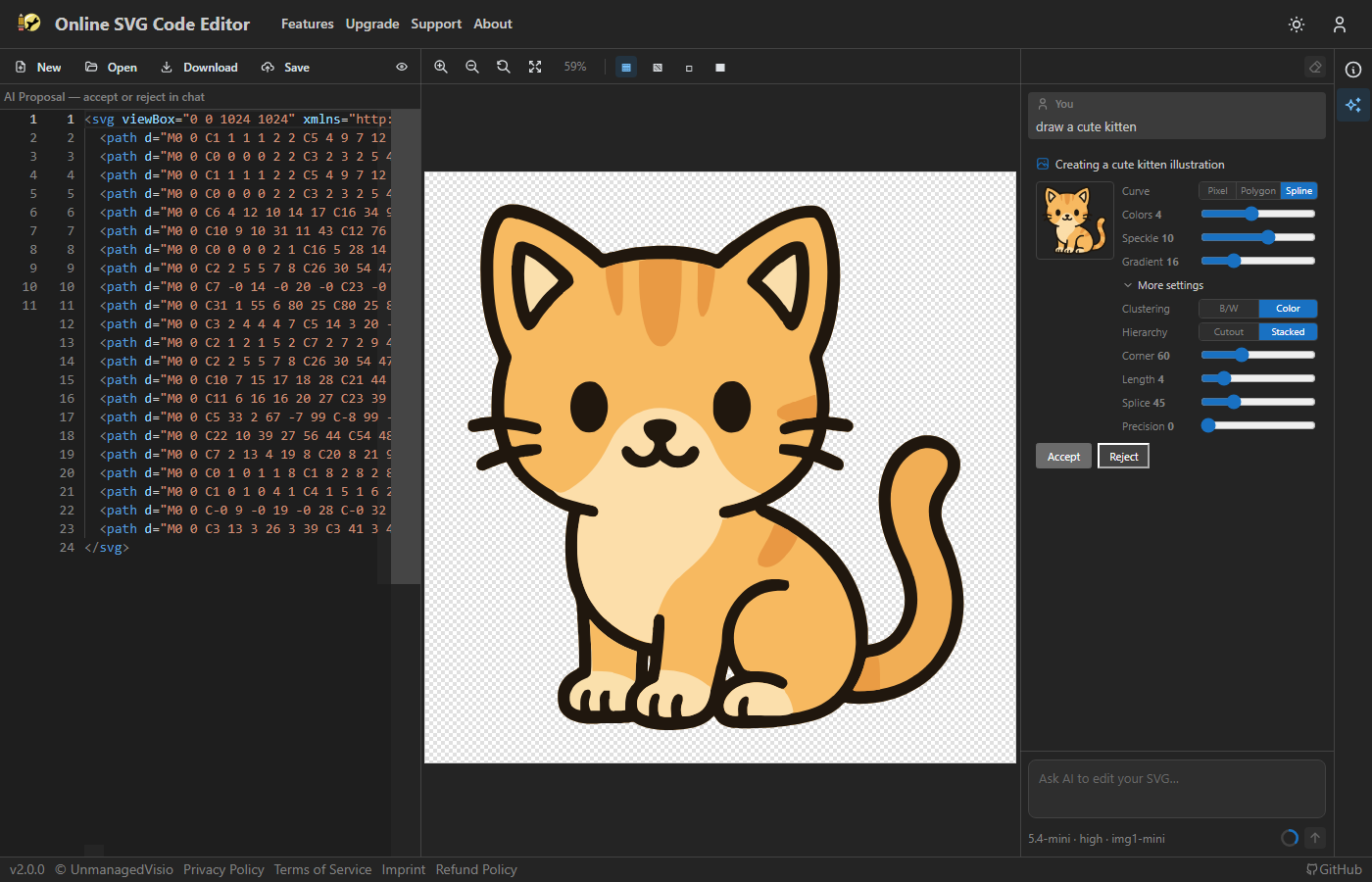
Tuning the trace
The tracer turns each area of colour into a path. Colors sets how many colour levels it keeps, from 1 to 8: fewer gives a cleaner, flatter drawing, more keeps detail. Speckle drops patches smaller than it, which clears away noise. Curve chooses between smooth splines, straight-edged polygons and pixel-exact outlines.
More settings has the finer controls: the corner and splice angles, the segment length, colour precision, and whether shapes are stacked or cut out of one another. Every change traces the picture again in a moment, so it costs nothing to try. Once accepted, the card also offers Save raster image, which keeps the original picture.
Changing the picture
Ask for a change to a generated picture — "give the cat a red bow", "make it night" — and the assistant can edit the picture itself and trace it again. Each change builds on the last one you accepted, and costs the same as generating.
For a change of colour it does not regenerate anything: it recolours the traced shapes directly, which costs no image credits and leaves every other shape exactly as it was.
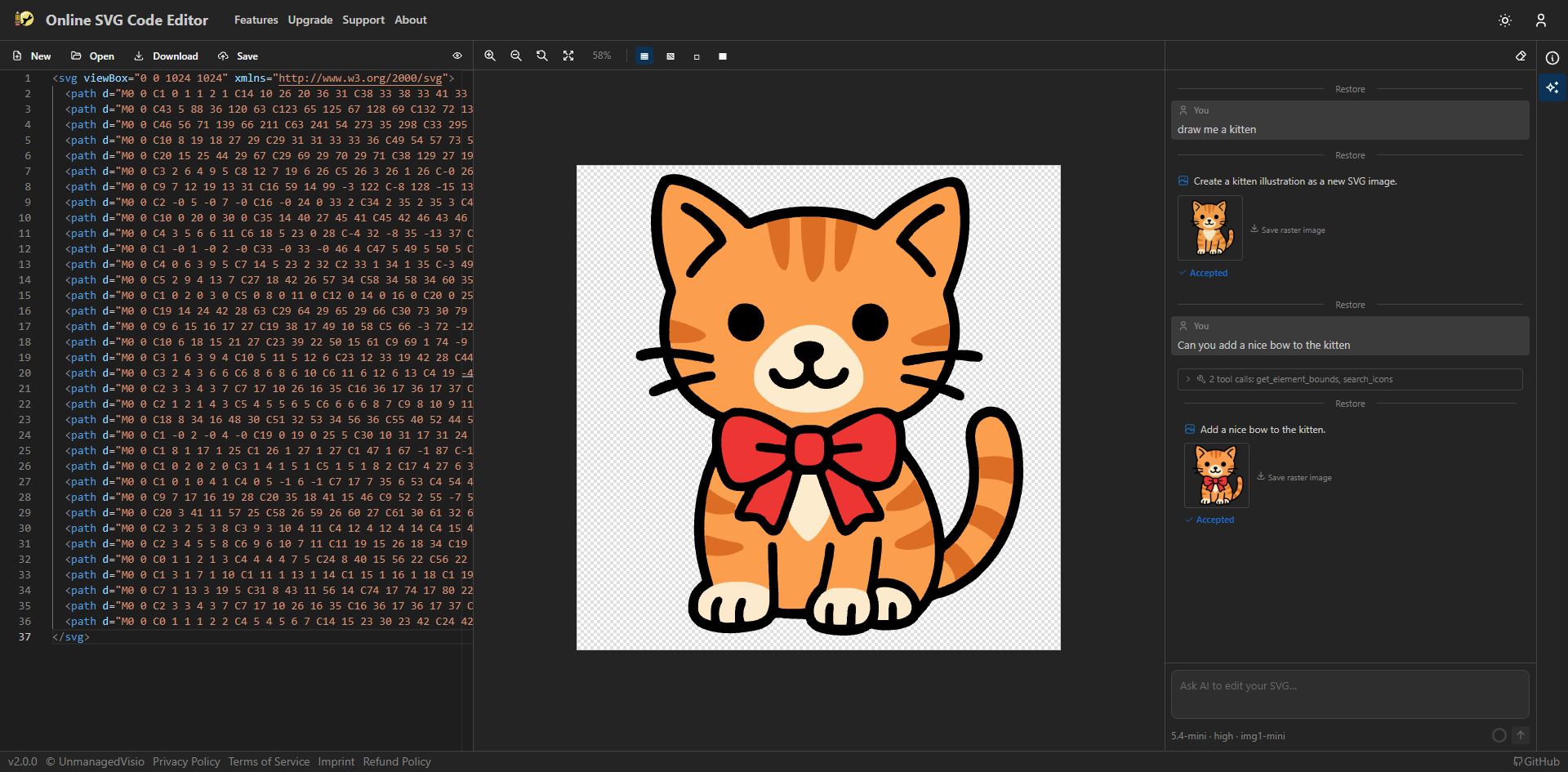
Good to know
- Pictures need a free account, and the image credits come on top of the chat request: 10 for the free image model, 30 or 50 for the Pro ones.
- The tracer keeps flat areas of colour, so photographs, soft gradients and fine texture come out posterised. Pictures are asked for in a flat, cel-shaded style, because that is what traces well.
- Pictures are generated at 1024 × 1024, with a transparent background.
- A traced picture is many paths, not a hand-built drawing with named parts. Recolouring regions works well; for "the tail" the assistant has to work out which shapes are which from where they are and how big.
- The image provider's content filter refuses some requests, well-known characters and brands most often. Describe what you want differently.
Questions
Is the result really SVG?
Yes: paths with flat fills, which you can edit in the code here or in any vector program. The picture it was traced from can be saved too.
Why did I get a simple drawing instead of a picture?
Choosing "Draw it with shapes instead" skips the picture and has the assistant draw with SVG shapes directly. It costs nothing extra but is much simpler. Ask again and choose Generate picture.
Why are the colours flatter than I expected?
Colors starts at 4 levels. Raise it, and lower Speckle, to keep more detail; lower it for a cleaner, poster-like drawing.