Icons from a library of 200,000
When a drawing needs a familiar symbol — a gear, a cart, a star — there is no need to draw one. Ask for it in the chat, and the assistant searches over 200,000 open-source icons, shows you a choice, and puts the one you pick into your drawing as plain SVG.
Opens a button with room on its left. Sign in for free, then ask "add a gear icon to the left of the text".
How it works
Icon search is one of the assistant's tools rather than a separate screen, so you ask for an icon the way you would ask for any change. It searches the open icon sets behind Iconify — Tabler, Lucide, Material, Font Awesome, Phosphor, Fluent and many more — and shows up to 30 matches, a different set's take on each where it can.
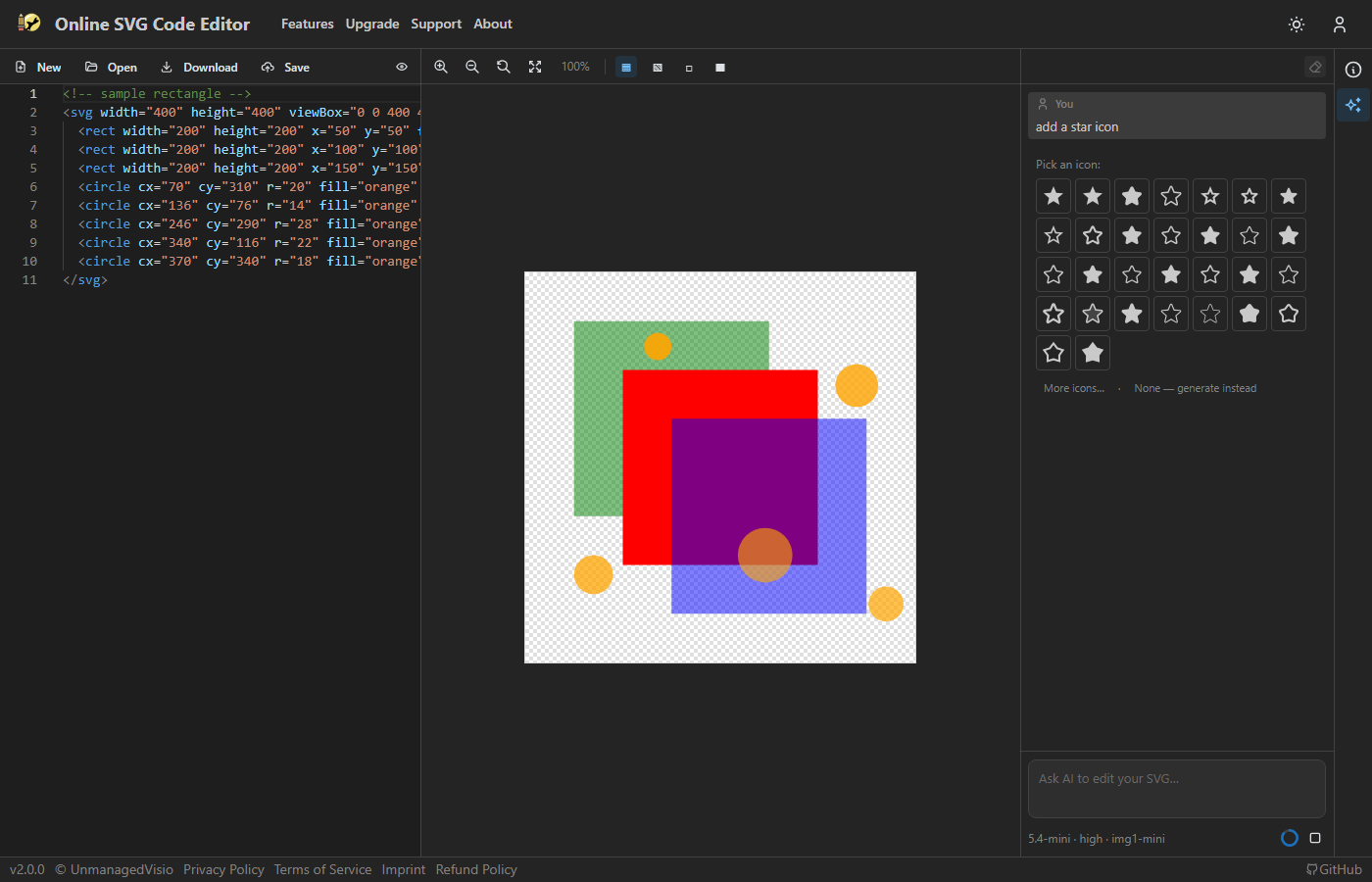
- Ask in the chat — "add a star icon", "put a trash icon in the corner".
- Pick one from the choice offered. More icons… shows another batch, and None — generate instead has the assistant make a picture instead.
- The assistant inserts the icon, then sizes, places and colours it to fit your drawing, and proposes the change for you to accept.
Logos, and icons on their own
Well-known brand logos are in the library too. Asked for one, the assistant offers the real logo rather than drawing a look-alike, which would be worse and could get you into trouble with the brand's owner.
An icon added to a drawing comes in at about a quarter of its size unless you say otherwise; beside text it matches the text's height, and inside a shape it stays within it. Asked for an icon on an empty canvas, or on the starter drawing the editor opens with, the icon becomes the drawing and fills it.
Licences
Only icons whose licence asks for no attribution are offered — MIT, Apache 2.0, ISC, BSD, the Unlicense and CC0 — so what you insert can be used anywhere without a credit line. The icon goes in as SVG markup, not a link, so the drawing does not depend on anything outside it.
Good to know
- Like everything in the chat, icon search needs a free account, and costs the chosen model's usual credits for the request — 3 with the default model. The search itself adds nothing.
- The assistant places and sizes the icon from the coordinates in your drawing. If it lands not quite where you wanted, say so, or adjust its numbers in the code.
Questions
Can I use the icons in a commercial project?
Yes. Only icons under licences that allow use without attribution are offered.
What if none of the icons fit?
Ask for more icons, describe it differently, or choose "None — generate instead" to have the assistant make a picture of it.