A code editor made for SVG
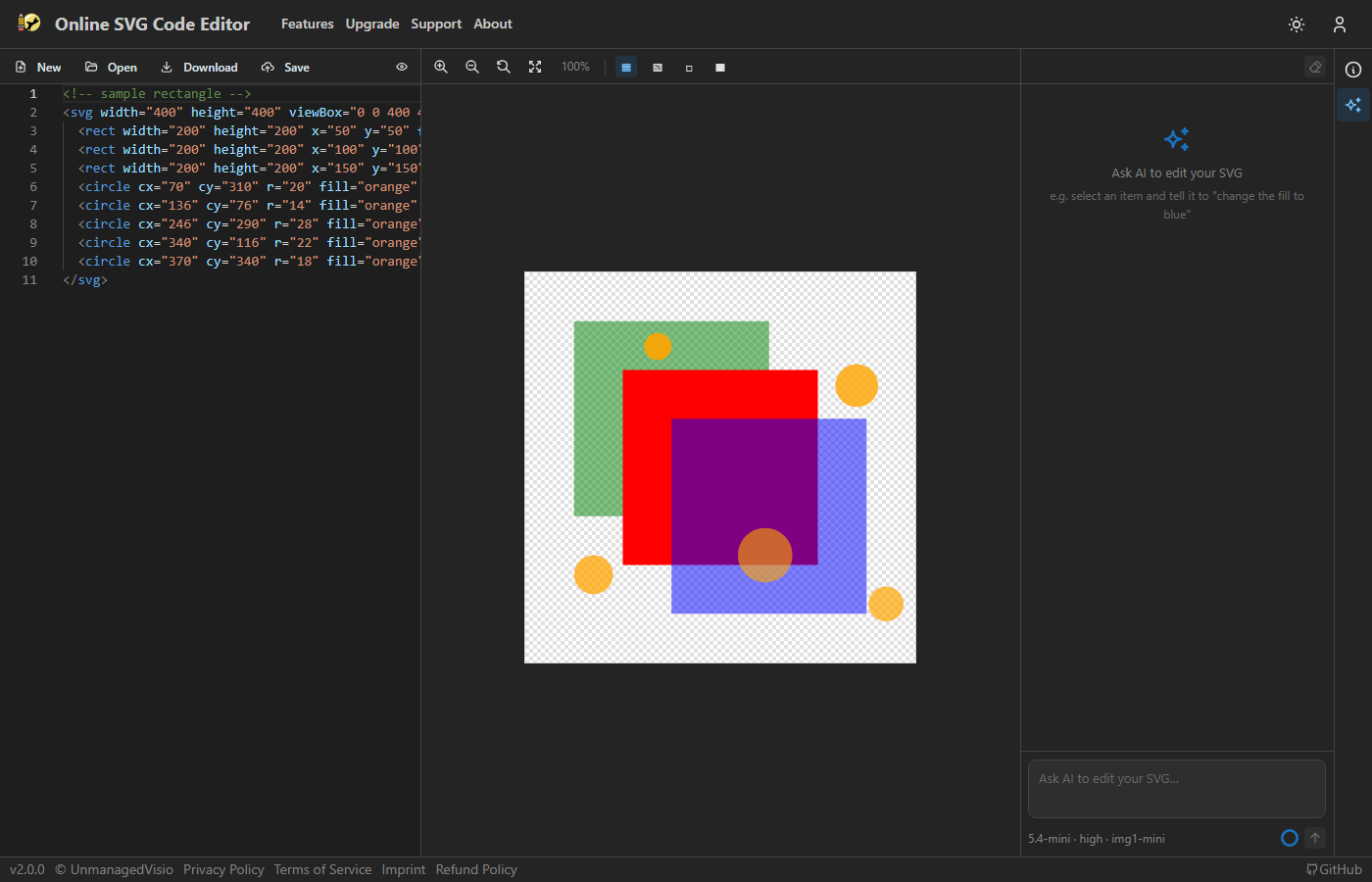
An SVG is code, and the quickest way to understand or fix one is often to read it. The editor is Monaco — the editor inside VS Code — with the drawing beside it, so every change you type shows a moment later, and every shape you click in the picture takes you to its line.
Opens three circles. Click a colour's swatch in the code to change it, press F1 for every editor command, or Shift+Alt+F to tidy the code.
The editor
Everything people expect of a code editor is there: syntax highlighting, matching brackets, folding, find and replace with regular expressions (Ctrl+F, Ctrl+H), several cursors at once (Alt+click), and the Command Palette on F1 with every action the editor has. Alt+Z turns word wrap on and off, and is remembered. The editor follows the site's light or dark theme.
Format Document (Shift+Alt+F) indents the markup two spaces a level. It leaves the code alone if it cannot be read as XML, or if formatting would change anything you can see — and every file you open is formatted that way to begin with, so a one-line SVG from a chatbot arrives readable.
Colours you can see and pick
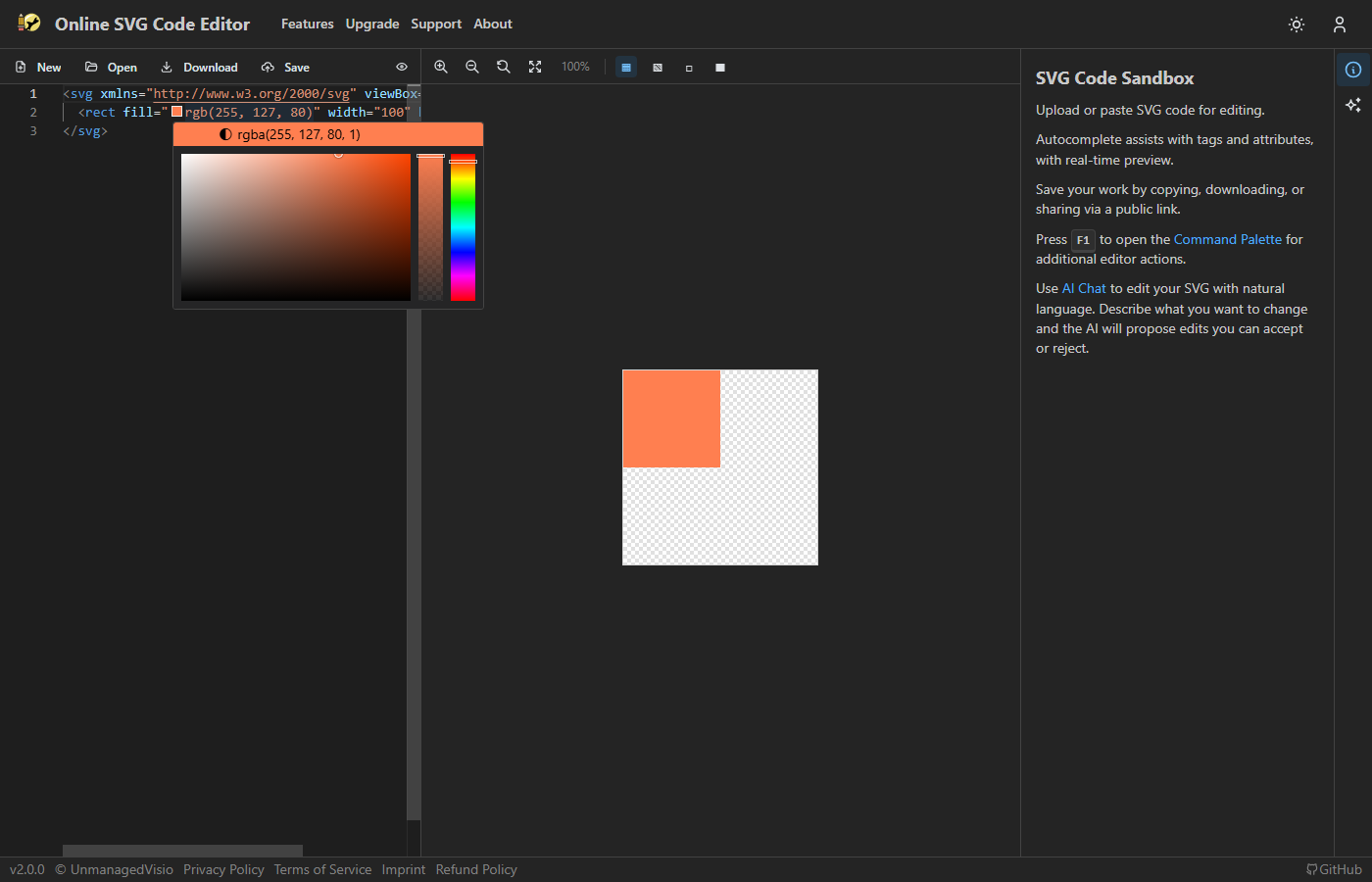
Every hex, rgb() or hsl() colour in the code gets a small swatch beside it. Click the swatch to open a picker; the colour you pick is written back in place, and clicking the top of the picker switches between hex, RGB and HSL.
Opening a drawing
Paste the code in, or use Open to load an .svg file from your computer; each file opens as a drawing of its own and keeps its name for downloading. A link can carry a drawing too: editsvgcode.com/?svg= followed by the markup opens it, and ?url= followed by the address of an SVG file on the web opens that file.
Good to know
- Broken markup is not underlined in the code. The preview still draws what it can, the way a browser does, and a shape missing from the picture is usually the clue.
- Colour swatches appear for hex,
rgb()andhsl()values, not for colour names such asred. - On a phone the editor shows the preview and the chat, without the code, which does not fit a small screen. Open the drawing on a computer or tablet to edit its code.
Questions
Do I need to install anything?
No. It runs in the browser, and needs no account to edit, preview or export.
Does it change my code without asking?
Only to indent it when a file is opened, and only when that changes nothing in the picture. Formatting never adds or removes a tag.