Save, share and publish to the gallery
A drawing can stay in your browser, or go to the cloud with a link of its own: kept private, shared with whoever has the link, or published to the public gallery for anyone to find and start from. Saving needs no account; signing in, which is free, makes your drawings private and keeps them together.
Opens a small logo. Save puts it in the cloud with a link of its own; Share then sets who can see it.
Saving
Save stores the drawing in the cloud and moves it to an address of its own, which opens it again from anywhere. Without an account, a saved drawing is unlisted — anyone with its link can view it. Signed in with Google, GitHub or Microsoft, it is private until you choose otherwise.
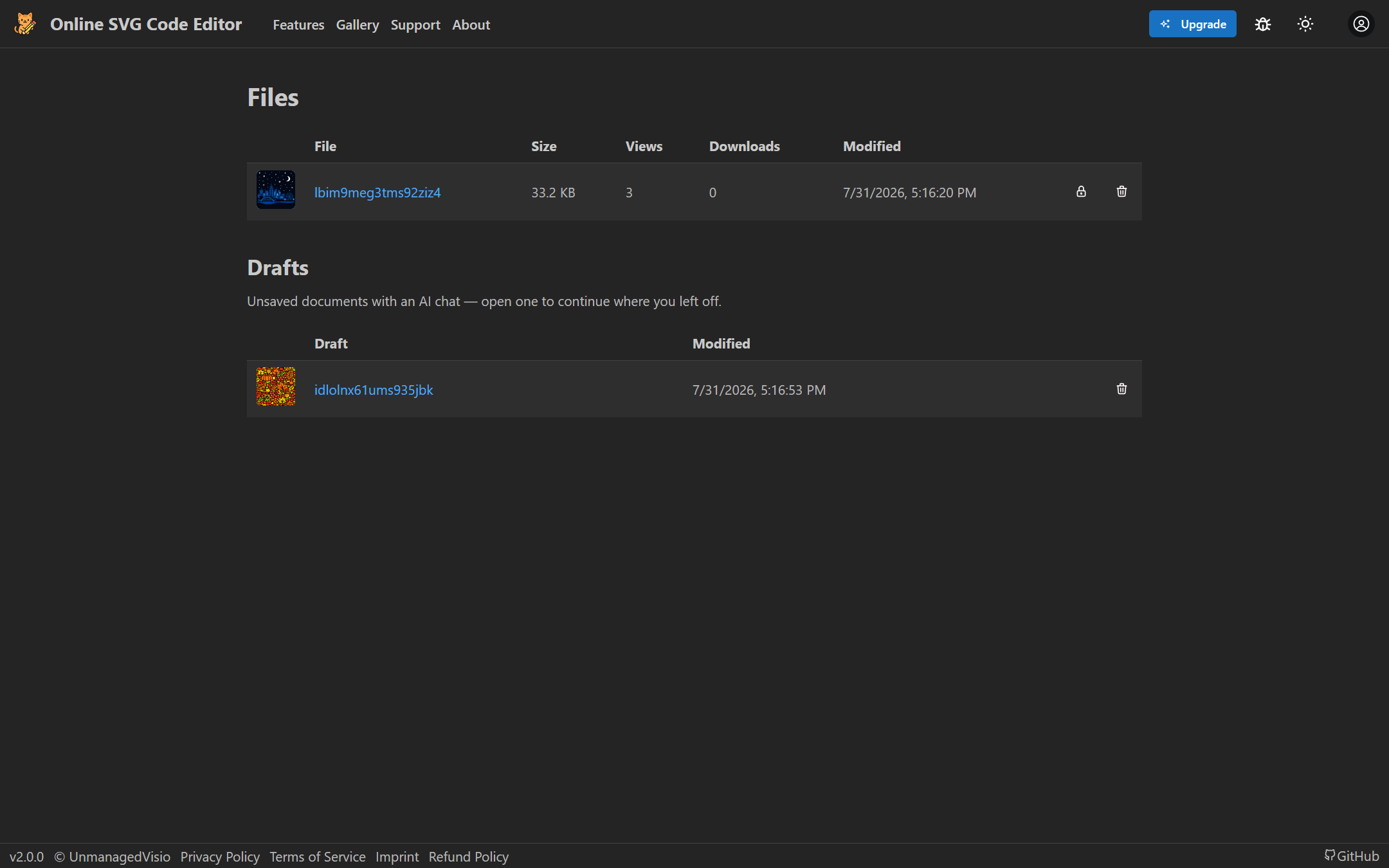
Until you save, your work is kept in this browser, so closing the tab loses nothing. When signed in, a drawing you have chatted about but not saved appears under Drafts on the Files page, ready to pick up where you left off.
Who can see it
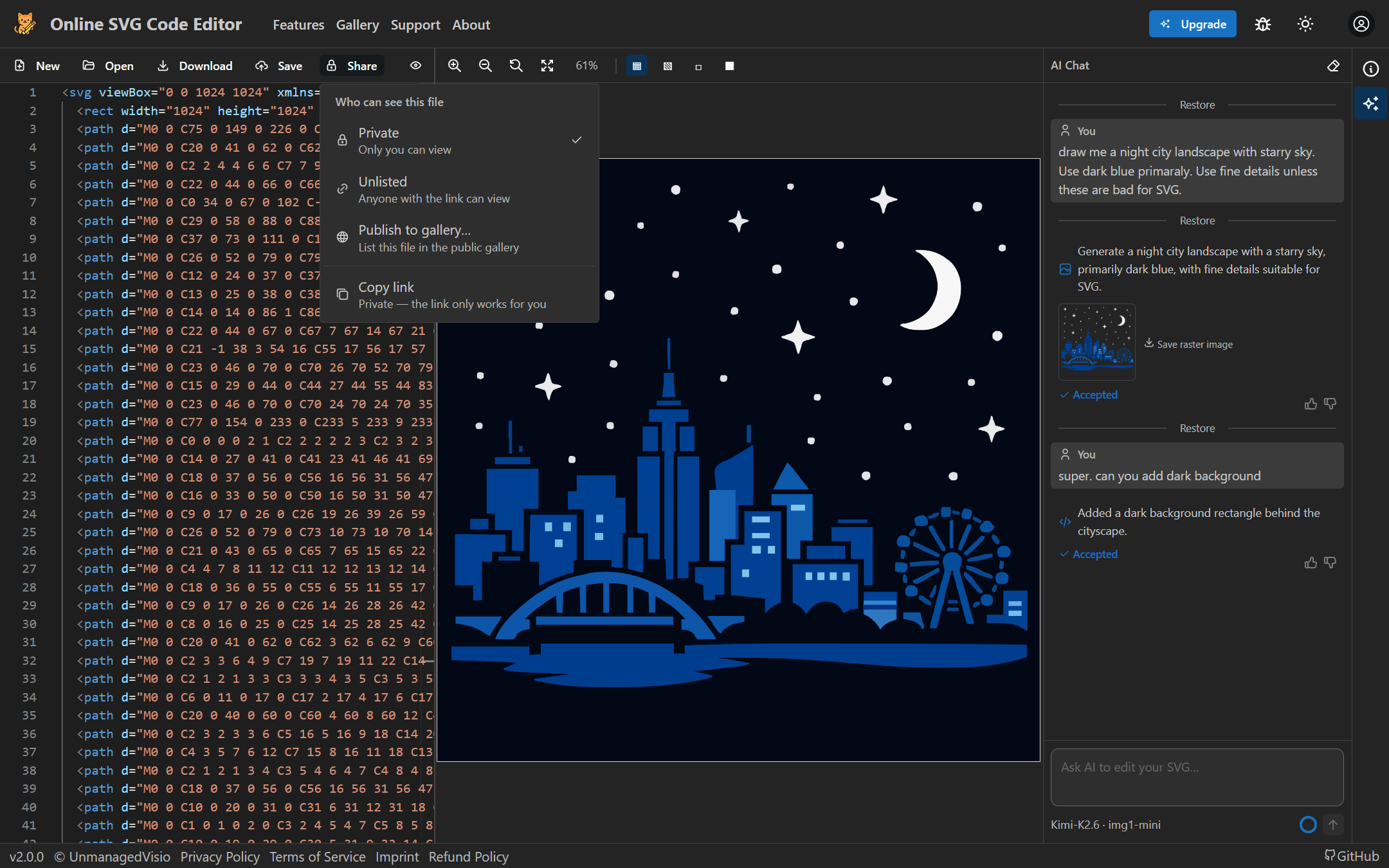
Once a drawing is saved, Share sets who can see it. Private: only you. Unlisted: anyone with the link. Publish to gallery…: listed in the public gallery for anyone to find. Copy link puts its address on the clipboard. The Files page lists every saved drawing with its views and downloads.
The gallery
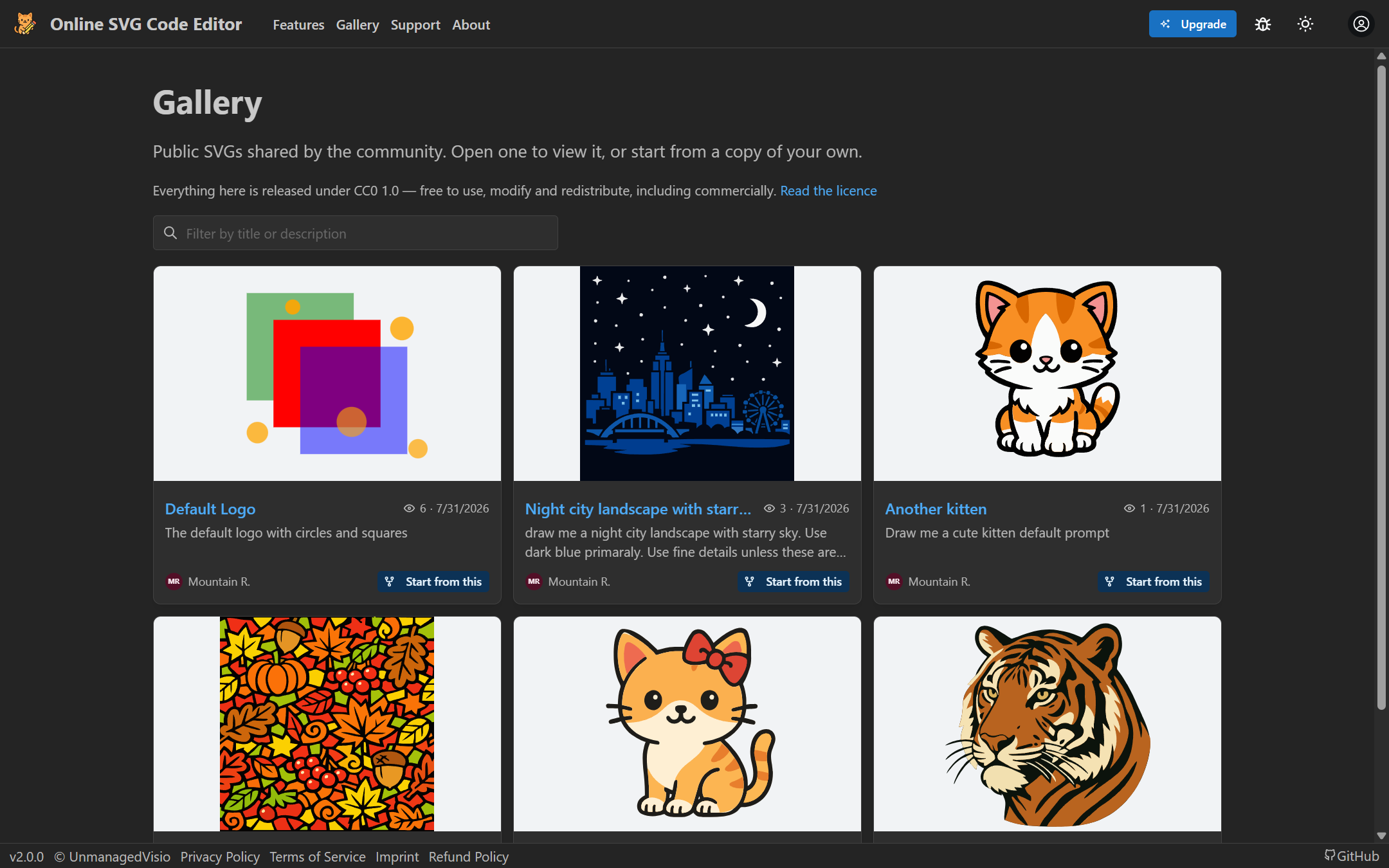
Publishing asks for a title and a short description — filled in for you, or suggested by AI for 1 credit — and releases the drawing under CC0 1.0, free for anyone to use, change and share, commercially too. You can unpublish it later, though copies already made stay free to use.
Anyone browsing the gallery can open a drawing, read its code and the AI chat that made it, and press Start from this to get their own copy, chat included, to carry on from.
Good to know
- Without an account, drawings are saved unlisted and cannot be made private. Sign in to choose who can see them.
- A published drawing is credited to its author by first name and initial, with their avatar.
- The gallery shows the 60 most recently published drawings.
Questions
Is saving free?
Yes. Saving, sharing, the gallery and the Files page cost nothing; only the AI assistant uses credits.
What does CC0 mean for my drawing?
That you give up your copyright in it: anyone may use, change and share it, for any purpose, without asking or crediting you. Publish only drawings you are happy to give away.